
Intercom is a great place to start. It’s intuitive, fast to set up, and fits naturally into a product-led growth motion. For early-stage startups, what is Intercom software at its core? A conversational layer between you and your users — and for a while, that’s exactly what you need.
But there comes a point where Intercom’s conversational simplicity stops being an asset and starts being a constraint. When your support needs to evolve, the Intercom versus Zendesk question isn’t really a debate anymore. It becomes a question of when, not if. Here are five signs that it’s time to make the move.
What Intercom Does Well (And Why Startups Love It)
Before getting into the signs, it’s worth clarifying: Intercom isn’t a “bad” tool by any definition. In fact, it’s one of the best ones, but for a specific stage and function for most companies.
The Intercom software experience is designed around conversations. In-app messaging, proactive outreach, live chat, it’s all seamlessly wired together by this platform. The Intercom chatbot functionality handles the more common questions automatically, and Intercom Fin AI takes that further with an LLM-powered system that can resolve tickets for the most part without human intervention. For a 5-person startup trying to keep response times low without hiring a large support team, that’s a real competitive advantage. The problem isn’t Intercom here, the problem is rapid growth and what comes along with it.
Sign #1: Your Support Volume Has Outgrown Chat
There’s a moment where your support queue stops feeling like a conversation and starts feeling like a backlog. Chat interfaces are built for real-time, back-and-forth exchanges. They’re not built for complex, multi-step issues that span days or require input from three different teammates. When customers start repeating themselves because context gets lost between conversations, or when such issues are falling through the cracks because there’s no clear owner, that’s a structural problem, not a process one.
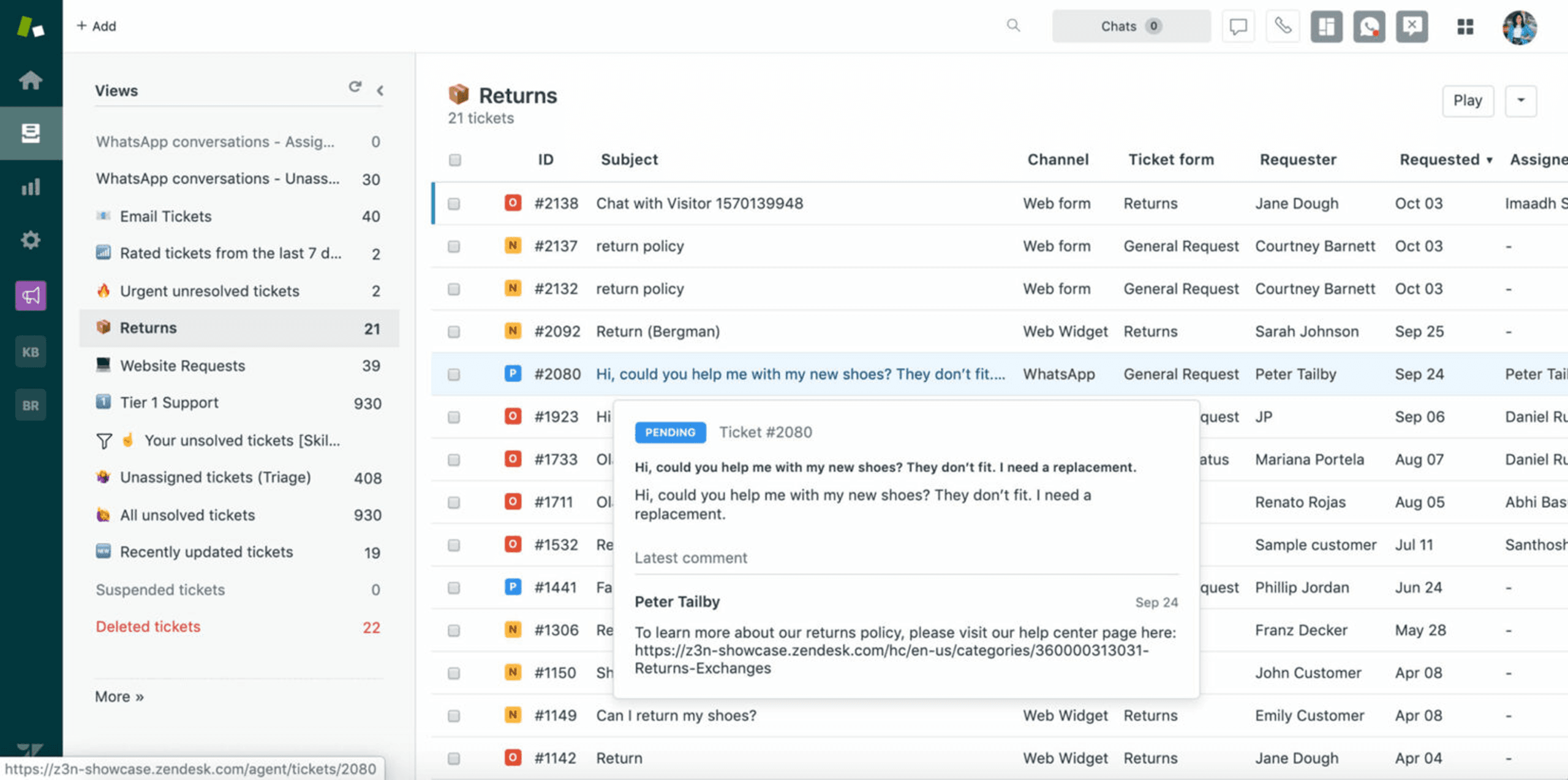
The Zendesk ticketing system is built specifically for this scenario. Every issue becomes a ticket with a status, an owner, a priority, and a full history. Zendesk versus Intercom functionality differences are most visible here: Zendesk is designed around resolution workflows, not just responsiveness. It turns reactive problem solving into a manageable, trackable process. That shift matters more than most teams realize until they’re already overwhelmed.
Sign #2: You Need Better Reporting and SLAs
At some point, your leadership team starts asking questions that Intercom can’t easily answer. Which customers have been waiting the longest? What support topics are spiking this month, and why?
This is exactly what Zendesk is used for. Not just handling tickets, but surfacing the data that helps you use support as a function. Zendesk features like built-in SLA tracking, CSAT measurement, ticket volume trends, and agent performance reporting give CX leaders and ops managers the visibility they need to make real decisions.
For B2B SaaS companies especially, this matters even more. Enterprise customers expect SLA adherence. Investors ask about support efficiency. And if you’re building a CS team, you need data to justify headcount, spot burnout, and measure improvement. Intercom’s reporting exists, but it’s limited. Zendesk is built for this from the ground up.
Sign #3: Your Support Team Is Growing Beyond One Inbox
When it’s just one or two people handling support, a shared inbox works fine. Everyone can see everything, context is easy to maintain, and nothing needs to be routed anywhere. That breaks down fast when you start to add more people to the team.
Suddenly, you’ll need different views for different teams: technical support vs. billing vs. onboarding. You need permission levels so a tier-1 agent isn’t seeing sensitive account data. You also need escalation paths, internal notes, and ticket assignments that don’t require someone to manually copy-paste a conversation into Slack.
Knowing how to use Zendesk for customer service means understanding that it was designed with this team complexity in mind. Zendesk customer service workflows support multiple groups, custom roles, macros for common responses, and tiered escalation. All within a single, organized interface. As your support team grows, Zendesk grows with it rather than working against it.
Sign #4: You Need Tiers, Plans, and Account-Based Context
This one is specific to B2B SaaS, but it’s a big sign. In a product-led or early-stage model, treating all users the same at this point is fine, but once you have enterprise accounts, paying tiers, and strategic customers, you need to know who you’re talking to before you respond. Is this a free user asking a basic question, or the IT admin at your largest account reporting a time sensitive issue?
Zendesk integration with your CRM, billing platform, and customer data means that context is right there in the ticket. Agents can see account health scores, subscription tier, open deals, and past conversations, all in one place. Companies that use Zendesk at scale often cite this account-based visibility as one of the biggest drivers of faster resolution times and better customer relationships. Intercom offers some of this, but Zendesk’s flexibility in connecting with your broader data ecosystem is significantly more powerful.
Sign #5: Your Tech Stack Has Grown More Complex
At an early stage, your tech stack is simple. Intercom, plus a CRM and a billing tool. Everything is manageable. At a later stage, you’re dealing with product analytics, a customer data platform, multiple CRM records, onboarding tools, and internal databases. Your support tool can’t sit at the edge of that, it needs to sit at the center.
Zendesk services and integrations are built for this complexity. With a deep library of native integrations and a well-documented API, Zendesk becomes the operational hub for customer context rather than just another point solution. Whether it’s syncing with Salesforce, pulling in Mixpanel data, or triggering workflows in your internal tools, Zendesk’s software implementation flexibility is hard to match at scale.
What a Migration Looks Like (And Why You Need a Partner)
Migrating from Intercom to Zendesk isn’t as simple as importing files into a new dashboard. Ticket history, customer data, tags, macros, custom fields, automations, and integrations all need to be organized and transferred thoughtfully. Done poorly, a migration creates confusion, lost data, and a dip in support quality at the wrong time.
A Zendesk implementation partner takes that risk off your plate. Rather than your team spending weeks on Zendesk’s configuration while support is still running, a partner brings a proven process, handles the technical details, and gets you live faster with fewer surprises. The difference between a rocky migration and a smooth one is almost always preparation and expertise.
The Right Tool for the Right Stage
Outgrowing Intercom isn’t a failure. It’s a sign that your startup has reached a new level of operational complexity, and that’s worth recognizing.
In the Intercom versus Zendesk conversation, the real answer is: both can be the right choice, depending on where you are. When you’re ready for structured ticketing, advanced reporting, team-based workflows, and deep Zendesk implementation services, the upgrade is truly worth it. If you’re seeing these signs and wondering whether it’s time to make the move, PlementOps has helped teams navigate this transition before. We’re happy to talk through what migration would actually look like for your setup.
Frequently Asked Questions
How to use Zendesk for customer service?
After setting up a comprehensive Knowledge Base, Zendesk sets up a ticketing system where every customer inquiry, whether it comes in via email, chat, or a web form, becomes a tracked ticket. From there, you assign tickets to agents, set priorities, create automated responses for common questions, and monitor performance through its detailed dashboards. Most teams start by configuring their inbox, building a few macros for repetitive replies, and setting up SLA rules. A proper onboarding process (or an implementation partner) makes a big difference in getting the setup right from day one.
What is Zendesk used for beyond basic support?
Beyond handling tickets, Zendesk is used for tracking SLA compliance, measuring CSAT scores, managing multi-team workflows, and integrating customer data from your CRM, billing tools, and product analytics. For many businesses, it becomes a central hub for understanding customer health and support history across accounts.
How long does a migration from Intercom to Zendesk take?
It varies depending on the volume of historical data, the complexity of your current setup, and how much configuration Zendesk requires. A straightforward migration can take a few days to a few weeks; a more complex one with custom workflows and integrations can take longer. Working with a Zendesk implementation partner typically shortens the timeline and reduces the risk of disruption.